
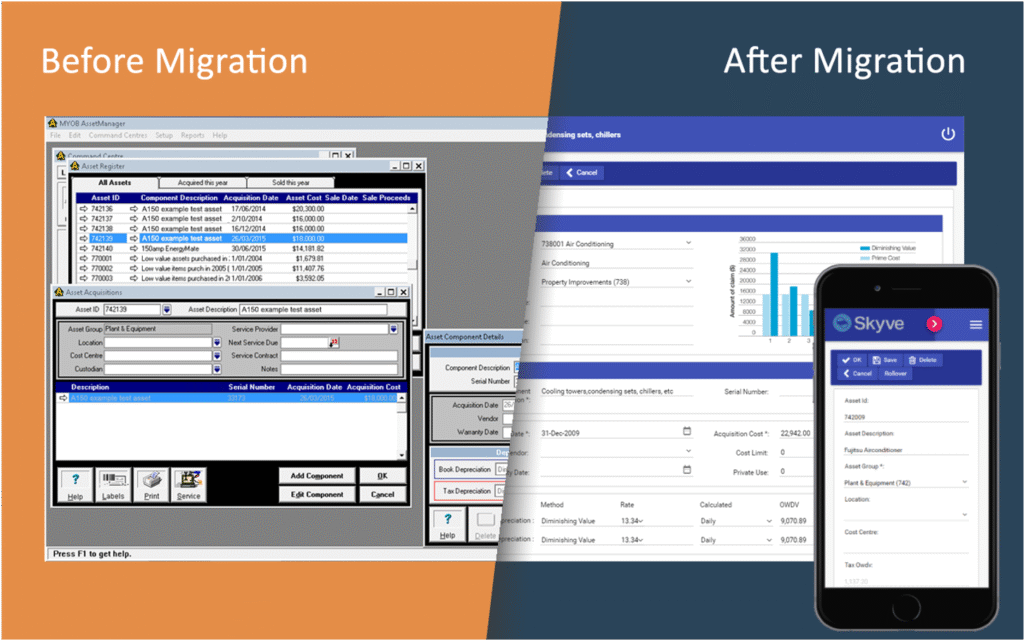
Microsoft Access has been a go-to database solution for decades. Many businesses and government agencies have relied on it to build quick, custom applications that solve pressing problems.
But what often begins as a small side project can grow into an important system—one that carries the weight of daily operations yet struggles to keep up with modern requirements. These legacy databases often fall short in security, scalability, usability, accessibility, and integration.
If this sounds familiar, it may be time to consider migrating and modernising your Microsoft Access database.
Why Migrate Your Microsoft Access Database?
1. Improved Security
Today’s businesses face escalating cyber threats. Traditional Access applications lack the built-in protections needed for modern risk environments.
Migrating to a modern, web-based platform unlocks:
- Multi-factor authentication
- Data encryption at rest and in transit
- Role-based access controls
- Centralised logging and auditing
These features safeguard sensitive corporate and customer data against unauthorised access, ransomware, and data exfiltration.
2. Greater Scalability
Access databases were never designed with large-scale growth in mind. As data and users increase, performance suffers, and corruption risks rise.
A web application built on a modern database platform grows with your organisation, supporting:
- High transaction volumes
- Thousands of concurrent users
- Multi-device access (desktop, tablet, mobile)
- This scalability ensures your system never holds your business back.
3. Expanded Accessibility
Legacy Access databases often live on a single machine or restricted network share, creating barriers for distributed teams.
Modernising to a web application delivers anytime, anywhere access via browser—whether users are in the office, at home, or in the field.
4. Simpler Integration
Business needs evolve. Access applications, however, often lock organisations into rigid structures that resist change.
Migrating to a modern framework makes it easy to:
- Connect with ERP, CRM, finance or other systems
- Automate workflows through APIs
- Enable real-time reporting with BI tools
The result? Your applications adapt quickly to new business challenges.
5. Easier Collaboration
Multi-user Access environments are prone to data corruption and file-locking issues.
Web applications are inherently collaborative, allowing multiple users to work seamlessly with the same or different datasets, without conflicts. Collaboration can also extend to external systems through APIs, giving your business the agility it needs.
Migration vs. Modernisation: What’s the Difference?
- Migration: Moving your Access data and workflows to a newer platform such as SQL Server or Azure. This solves some technical problems but may replicate outdated processes.
- Modernisation (Biz Hub’s approach): Redesigning your system on a modular, low-code platform that supports future growth, stronger security, mobile-first capabilities, and ongoing enhancements.
At Biz Hub, we don’t just migrate your database—we modernise it, unlocking long-term business value.
Next Steps: Future-Proof Your Business
If your Access database is limiting your operations, now is the time to act.
By modernising, you’ll gain:
- Improved security
- Greater scalability
- Expanded accessibility
- Simplified integration
- Easier collaboration
- Improve maintainability
At Biz Hub, we specialise in transforming legacy Microsoft Access applications into secure, scalable, web-based platforms tailored to your organisation.
Ready to modernise your Access database? Contact Biz Hub today to discuss how we can help unlock your data and applications.